CISELSOFT · EDUCATION MANAGEMENT

Nursery management,
in one place.

Your nursery is not one-size-fits-all. Your software does not have to be either. Bring daily reports, parent communication, transport and finances together, and plan institution-specific changes and development with us.

7-day free trial · 24/7 support · Support throughout your institution’s use.

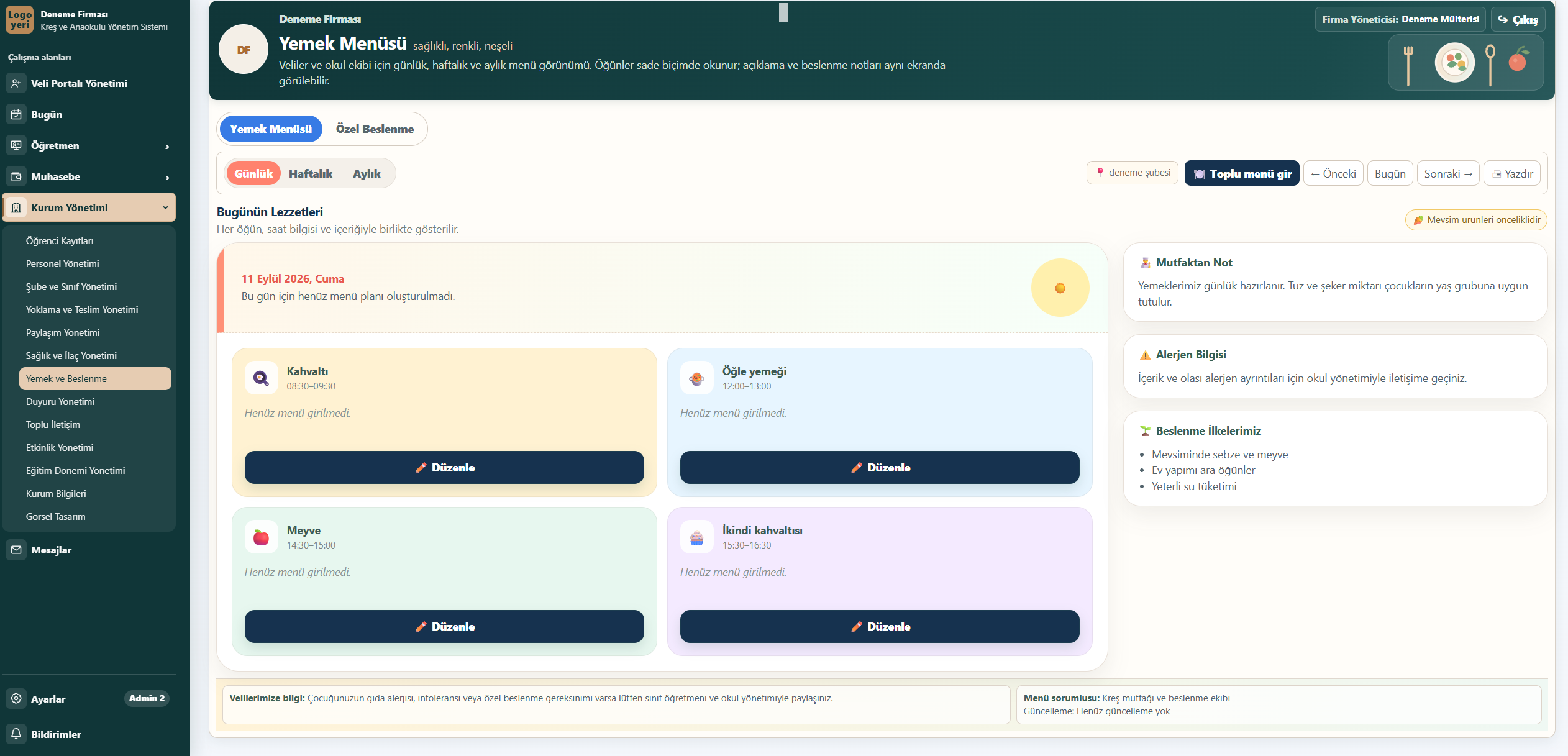
Meals and nutrition
Actual application screen · demo institution
TRY 75per student / month · VAT included
Multiple branchesBranches, classes and teams
WhatsApp · Email · SMSInstitution communication channels

ONE INSTITUTION · DIFFERENT NEEDS

Let everyone focus on their role.

Managers, teachers and parents share a connected student context. Visible information and available actions depend on institution settings and user permissions.

MANAGERS AND FINANCE

See the institution’s overall position.

Follow branches, classes and finances through connected records instead of combining separate lists.

  • Student, parent and staff records
  • Fees, instalments, collections and expenses
  • Branch scope, responsibilities and access permissions

TEACHERS

Keep the class’s day organised.

Record each student’s daily information in its workspace, from attendance to end-of-day notes.

  • Attendance, check-in, check-out and handover
  • Meals, sleep and teacher notes
  • Events and approved sharing

PARENTS

Stay informed about your child’s day.

Follow information shared by the institution through your authorised account linked to your child.

  • Shared daily reports and meal menus
  • Notices, messages and event replies
  • Student information made visible by the institution

QUALITY WITHOUT COMPROMISE

Let’s build the nursery management you envision.

You are not limited to the same fixed package for every institution. Screens, reports and workflows can be adapted and developed around your nursery’s needs.

Start with existing modules, from daily reports to transport management, and explore new requirements together.

Tell us how you want to work →

We listen to how you work.

We discuss your team’s daily routine, challenges and the processes you want to improve.

We turn requests into development plans.

For a new report, a different screen layout or an institution-specific workflow, we clarify technical feasibility, scope and the implementation schedule together.

Updates included. Custom work clearly scoped.

General updates are included in the subscription. Institution-specific changes and development are quoted separately according to scope. We agree on scope, cost and timing before work begins.

YOUR NURSERY · YOUR MANAGEMENT

Your branding. Your management.

Each nursery has its own administrator account and institution-specific workspace. Your authorized institution administrators manage your staff, user accounts and daily records.

The service runs on shared technical infrastructure; your team manages your institution’s daily operations.

Your own logo and brand colors.

Use your institution’s name, logo and brand colors. Arrange visuals in supported pages and areas. Design requests beyond the existing settings can be planned together as institution-specific development.

Your staff and permissions, under your control.

Manage staff and user records, and configure role, action and branch permissions around your institution’s workflow.

Manage your own records.

Follow student, parent, staff and institution records in your own workspace. Institution and role permissions determine what users can see and do.

12 CORE WORK AREAS

A connected workflow for your team.

The product’s features are grouped into 12 core areas below. Available workspaces depend on the institution’s enabled modules and user permissions.

01

Student and parent records

Enrolment, student profiles, parent relationships and student history in one place.

02

Branches, classes and terms

Branches, classes, student placement, responsible teachers and education terms.

03

Staff and permissions

Staff accounts with page, action and branch access suited to each role.

04

Attendance and safe handover

Attendance statuses, absences, check-in, check-out and handover records.

05

Daily reports and sharing

Meals, sleep, mood and teacher notes, alongside approved photos and videos.

06

Health and medication

Health profiles, allergy alerts, medication instructions and administration records.

07

Meals and nutrition

Daily, weekly and monthly menus, bulk entry and dietary requirements.

08

Parent portal and communication

Messages, notices, surveys and visibility controls with WhatsApp, email and SMS channels.

09

Events and participation

Plan events and trips, select branches and classes, and collect parent participation replies.

10

Finances and expenses

Fees, instalments, collections, discounts, scholarships, salaries, expenses and summaries.

11

Transport

Vehicles, routes, stops, student assignments and boarding records.

12

Development and individual support

Development observations, guidance, parent meetings, incident records and individual support plans.

A DAY AT YOUR NURSERY

From morning arrival to evening handover.

An example workflow: bring the same student’s records together according to your institution’s daily routine.

  1. MORNING

    Record attendance.

    Mark students present, absent or on leave and follow their arrival in the student’s record.

  2. DURING THE DAY

    Build the day’s record.

    Manage menus, meals, sleep and events in their relevant workspaces.

  3. END OF DAY

    Keep parents informed.

    Share daily notes and media according to the institution’s visibility and approval decisions.

  4. DEPARTURE

    Keep a handover record.

    Link arrival, departure and handover information to the student and consult past records when needed.

PARENT COMMUNICATION

Keep parents informed.
Keep control with your institution.

Manage parent accounts, shared information and publishing approvals from the same system. Parents access information within their child’s authorised scope.

Explore communication in a demo →

WhatsApp

Template-based messages and delivery status through the institution’s configured WhatsApp Business account.

Email

Send information and announcements through the institution’s own email account.

SMS

SMS messages through the institution’s configured Netgsm account.

CLEAR MONTHLY PRICING

A price based on your student count.

TRY 75 per student per month, VAT included. Institutions with 100+ students are evaluated separately according to their needs and scope.

Try the nursery application free for 7 days. The listed monthly price applies to paid use. We clarify your trial access and starting plan together.

General updates are included in the subscription. Institution-specific changes and development are quoted separately according to scope.

MONTHLY · PER STUDENT
TRY 75

VAT included

20 students / monthTRY 1,500
50 students / monthTRY 3,750
100+ studentsCustom evaluation
Get an institution quote →

WHERE TO START

Explore first. Plan your start together.

Understand the scope before deciding. Student count, branches and priority needs shape your institution’s starting plan.

  1. Send your demo request.

    Education Management is preselected on the form. Briefly describe your institution and the workflow you want to see.

  2. Explore the product and scope.

    We review your preview request. Compare the example screens with your needs and discuss a tailored demonstration and quote.

  3. Agree on your starting plan.

    Setup, existing records, user permissions and training needs are assessed together before the quote.

24/7 support

Contact us with questions during use. Briefly describe your needs without sharing personal data from your institution.

destek@ciselsoft.com ↗

Before you get started.

How do existing users sign in?

Use Active Applications or the Existing user sign-in button to reach egitim.ciselsoft.com. Sign in there with your own account.

How do I request the 7-day free trial?

Request a 7-day free trial of the nursery application at the trial request form. We arrange your institution’s trial access and start date together. This is separate from the 30-minute sample preview; submitting a demo form does not automatically open a trial account.

Is the demo the same as the live application?

The screenshots here come from a demo institution in the real application. The 30-minute preview supplied by email uses sample records and does not connect to live institution data. Mention any tailored demonstration needs in your request.

Are WhatsApp and SMS fees included?

External communication channels require provider account setup. WhatsApp, email and SMS provider usage fees are assessed separately from the monthly software price.

Can I see the system without an account?

The real screenshots on this page are public. You can also request a demo. The live application requires an authorised account.

Can multiple branches be managed?

Yes. Branches, classes, student placement and responsible teachers can be managed centrally. Access is limited by the user’s permissions.

What happens at 100+ students?

Monthly pricing is TRY 75 per student including VAT. Institutions with 100+ students receive a separate evaluation of student count, branches and scope before a quote.

LET’S MEET

See how it fits your institution.

Tell us about your student count, branches and daily workflow.