Customer and address records
Store names, addresses, primary and additional phone numbers, notes and previous orders.

CUSTOMER, ORDER AND DELIVERY MANAGEMENT
Which carpets are ready? What is still owed? When is delivery due? Connect customers, barcodes, cleaning stages and payments in one order record.
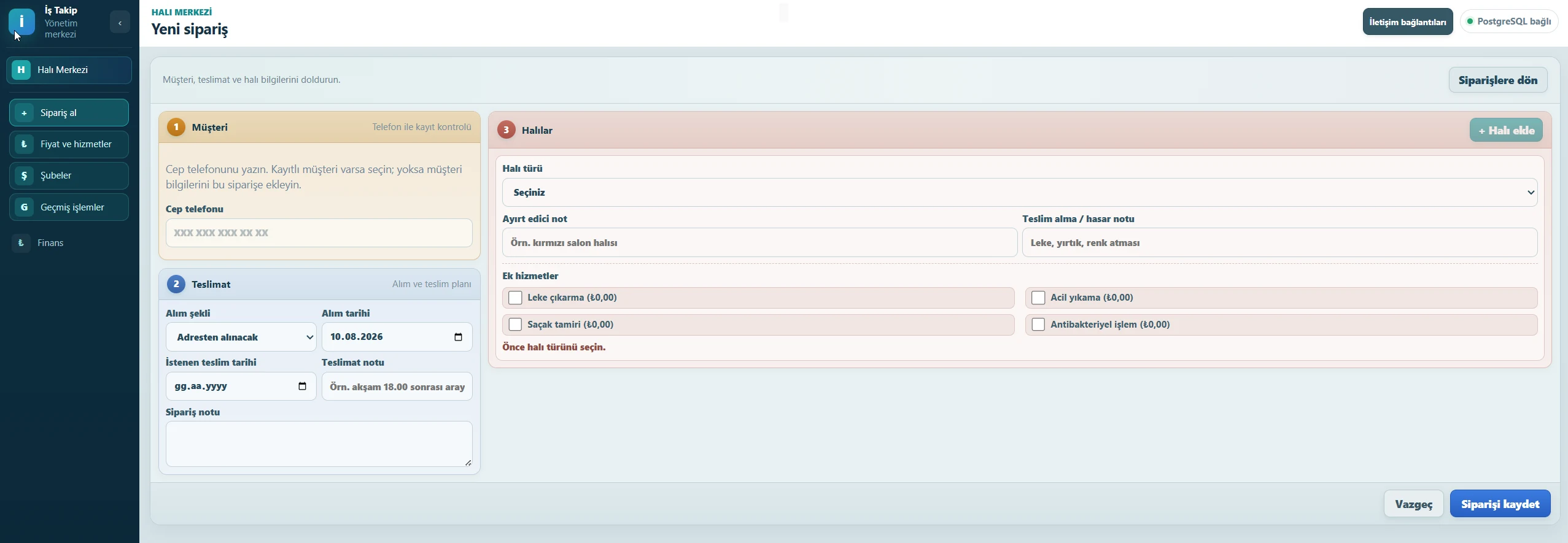
Every order step remains visible
Manage the workflow from customer pickup to delivery while keeping the details and history of every carpet separate.
Store names, addresses, primary and additional phone numbers, notes and previous orders.
Track the customer and pickup address together with the collection method, date and estimated completion time.
Keep item photos, type and dimensions together with notes about stains, tears or other identifying details.
Track each carpet separately by barcode, sequence, dimensions, area, price and processing status.
Calculate totals using area or item count, unit price and selected additional services; record payments and collections.
Follow each carpet through collected, washing, drying, ready and delivery stages.
Record estimated completion and planned delivery dates to identify approaching or delayed orders.
Review quantity, dimensions, price and payment from the same order details before delivery, and keep the delivery status current.
View previous orders, item photos, prices, payments and delivery records from one customer profile.
Preview ready and out-for-delivery notices, then confirm sending through your configured WhatsApp Business or email account.
Review revenue, collections, expenses, net cash and outstanding balances for the selected period.
Organize orders by branch and let staff use the functions allowed by their permissions.
Real product screens
These are masked product screens showing customer records, pricing, branches, history, finance and communication connections.
Fit for your operation
When parts of an order are spread across different tools, evaluate the need through the practical signs your team encounters.
Carpet cleaning businesses managing pickup, cleaning and delivery; teams tracking several carpets separately; managers who need connected pricing, payment, photo and order history.
Annual introductory package
Start with one company, one branch and five users without customer or order limits.
Included1 company · 1 branch · 5 users
Additional userTRY 750/year
Additional branchTRY 2,000/year
Additional companyNew licence
FROM PICKUP TO DELIVERY
Keep each carpet’s barcode, status, notes and payment context visible throughout the job.
Find the customer by phone; enter pickup, delivery and carpet details.
Record dimensions, barcode, distinguishing notes and condition photos.
Update washing, drying, ready and delivery stages for one or several carpets.
Check the remaining amount, record payment and retain delivery history.
About the carpet cleaning software
Yes. Each carpet has its own barcode, dimensions and status. Carpets from the same order can be updated individually or in a batch when the transition is allowed.
You can define prices per square metre or item, then calculate the order with dimensions and selected extra services.
The web interface adapts to different screen widths. Review your order-entry, photo and history workflows on the devices your team uses during the demo.
For ready and out-for-delivery notices, the user previews the recipient and message and confirms sending. An active provider account and valid customer contact details are required.
No. The introductory package includes unlimited customer and order records; user and branch counts are calculated according to the package scope.
Yes. The additional-user fee is calculated for the full months remaining until the main licence renewal date, and all licences renew together.
Once the company's WhatsApp Business connection is configured, staff can contact a registered customer from the order context. Meta and other provider usage fees are not included in the licence.
No. It is designed to track order revenue, collections, expenses, net cash and outstanding balances; it is not an accounting or financial-advisory service.
A more organized service operation
Clarify the right scope for customer, item, photo, pricing, payment and delivery tracking.