Your Company, Your Management
Company data and users are separate. The company administrator selects users and manages access for managers, office staff, accounting and technicians.

CiselSoft Technical Service
A ready-made application for service companies to manage their own work orders, technicians, stock and documents from desktop or mobile.
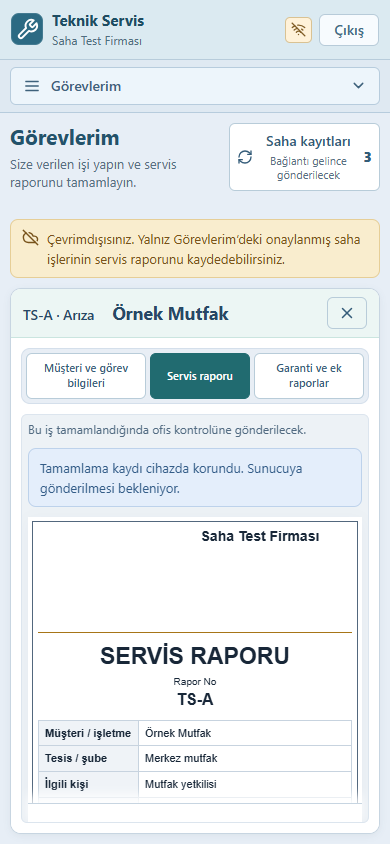
Assigned jobs and digital service reports.
Local recording and automatic sync for eligible reports.
Manage your users, permissions and modules.
Mobile Use · Offline Field Reports
Work in a kitchen, a basement or a remote location with limited connectivity. Save an eligible service report on your phone; records sync automatically when connectivity returns while the application is open.
While online, open your assigned active field job with completed work approval in My Tasks.
Record completed work, working time and materials on your device while offline.
The application sends pending records when the connection returns. Follow the sync status; conflicts are flagged for comparison.
Offline scope: Technical staff reports for eligible active field jobs only. Assessment visits, workshop jobs, quotations, accounting and all other screens require connectivity. Internet is needed for initial sign-in and loading the job onto your device.
A Connected Service Workflow
Customers, equipment, quotes, tasks and documents belong to the same service process. Office and field teams work within their permissions.
Repair, maintenance or installation. Identify the customer, equipment and service location.
Track quotations, revisions and customer approval.
Assign staff or a team with a date and time; make the job available to the technician.
Record work, time and materials. Review jobs that require office approval.
Follow dispatch, delivery, invoicing, payments and warranty records.
Company data and users are separate. The company administrator selects users and manages access for managers, office staff, accounting and technicians.
View customer equipment, previous service work, warranty information and after-service support records together.
Manage repairs, maintenance and installations in one system. Technicians follow their assigned tasks and reports awaiting review.
Capture work, time and materials in digital service reports. Approve jobs requiring office review or return them for corrections.
Track quote revisions, customer decisions, invoicing status, received payments and outstanding balances against the job.
Link dispatch and delivery records to the service. Prepare company-branded documents and retain sent emails with their attachments.
Choose the Modules You Need
Use the ready-made service workflow and available modules. Module choices do not affect other companies.
Communication and Document Archive
Prepare documents, send them through a compatible email account and retain sent content and attachments in the application. Manage communication connections per company.
Prepare emails from quotes, dispatch records and invoices. Retain sent messages, recipients and attachments. Manage replies through your existing email account.
Subject to SMTP account and provider compatibilityCompany settings for a WhatsApp Business / Meta account connection. Messaging scope is evaluated with account permissions and template requirements.
Connection settings · Meta Cloud APIConfigure your Netgsm account and sender name for your company. Define usage with provider account, API access and approved sender requirements.
Connection settings · NetgsmInside the Application
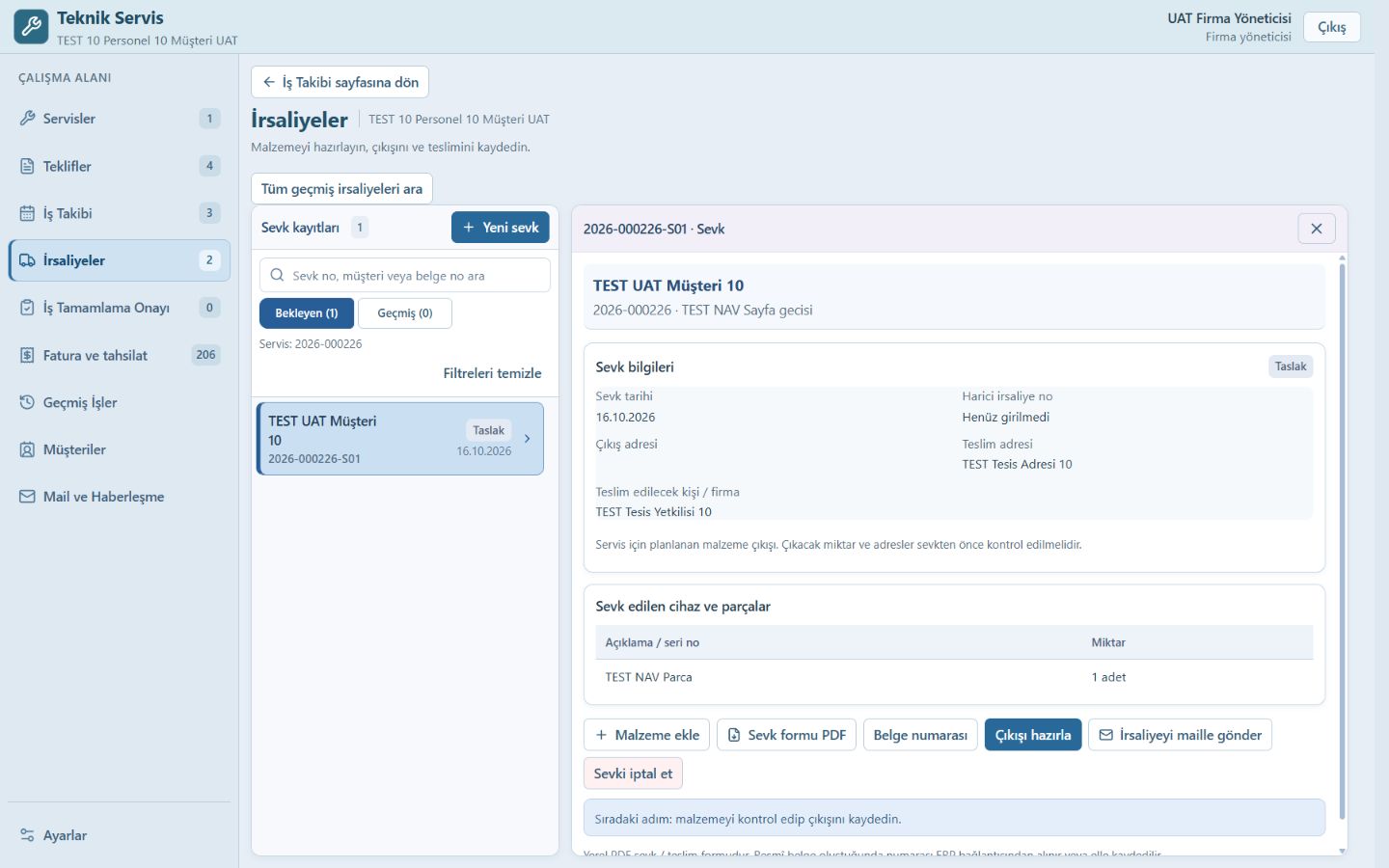
Enlarge the actual application screens to explore. Screens show sample test data and the Turkish interface.
CiselSoft Technical Service
This ready-made application helps service companies manage their own work orders, technicians, stock and documents. The licence quote is based on published modules and user count.